
Organizing a Single-Device IPTV Trial in a Family Home
October 26, 2026 · 16 min read
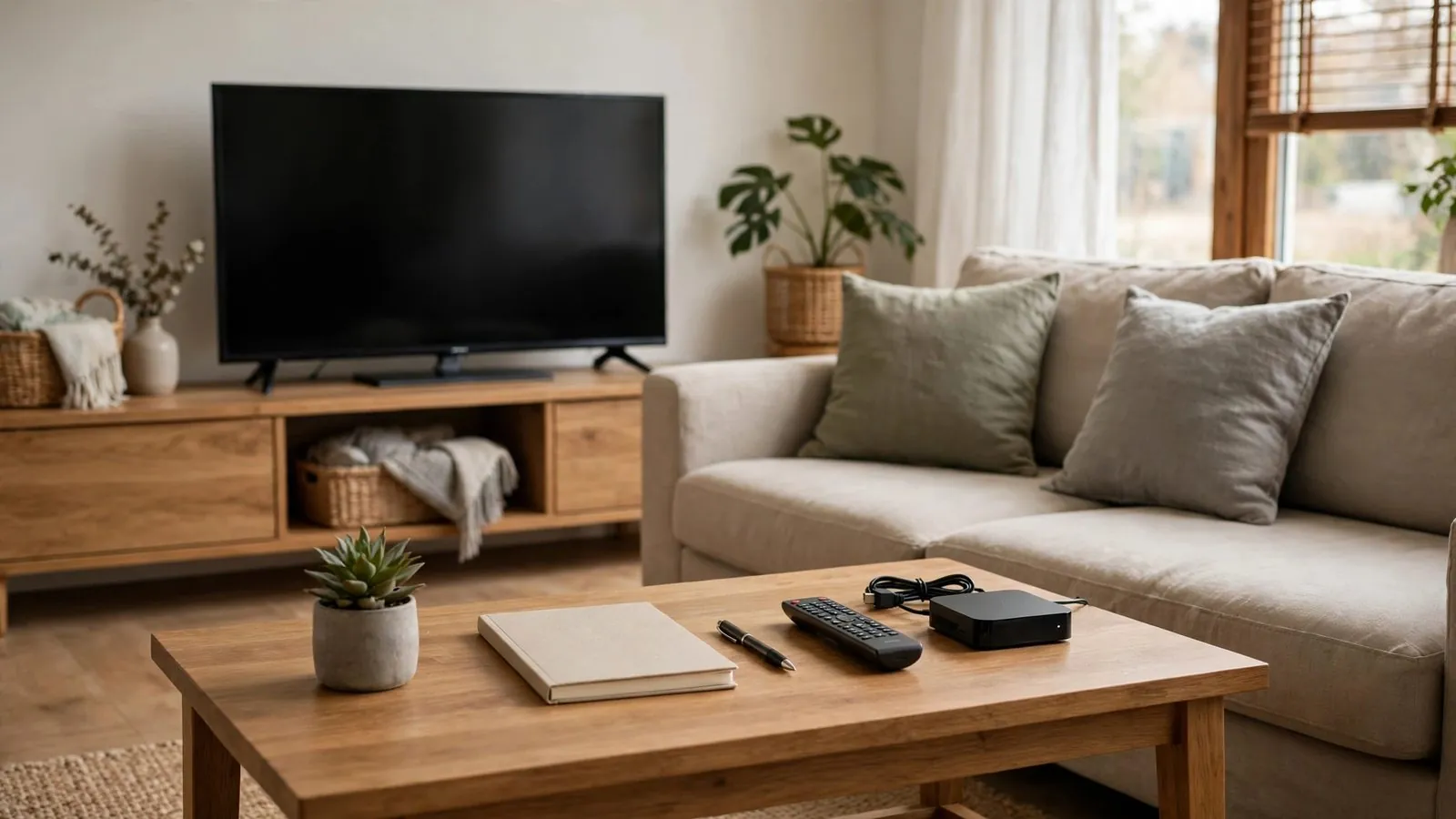
Introducing any new television technology into a shared household is rarely just a matter of launching an application. In a family home, television habits are deeply entrenched. Different age groups watch at different hours, have divergent tolerance levels for interface complexity, and rely on the living room screen for daily relaxation. When testing an Internet Protocol Television (IPTV) service for the first time, rushing to deploy trial credentials across every television, tablet, and streaming stick in the house usually leads to unnecessary confusion, conflicting opinions, and immediate frustration.
A single-device trial provides a controlled, low-friction framework for assessing whether a digital television solution genuinely fits your family's routine. By isolating your temporary evaluation to one carefully selected screen, you can observe how the service performs within that specific domestic setup. You can test channel navigation, electronic program guide (EPG) legibility, audio-video synchronization, and remote control ergonomics while minimizing disruption to the household's primary media baseline. This guide outlines how to plan, schedule, and conduct a structured, non-technical trial on a single home screen to support a clear family evaluation.
Why Limiting Your Initial Trial to a Single Device Helps Manage Household Testing
When a household embarks on a television trial, the initial temptation is often to install the software everywhere at once. However, evaluating an IPTV service across multiple screens simultaneously introduces numerous uncontrolled variables. If an app behaves unexpectedly or a menu structure feels convoluted, it becomes difficult to determine whether the issue stems from hardware differences, operating system quirks, or the service itself. Limiting the evaluation to a single device creates a clear baseline where every family member interacts with the exact same interface under identical operational conditions.
Furthermore, family members value predictability. When people sit down on the sofa after a demanding day at work or school, they expect their familiar entertainment setup to function without having to learn an untested interface or navigate around unfamiliar menu items. If you replace the existing living room setup unannounced, any minor inconvenience during the trial can provoke instant resistance to change. Keeping the test restricted to one screen allows family members to participate voluntarily while reducing disruption to their regular entertainment.
Finally, single-screen testing helps you stay within provider stream limits. Subscription terms and connection policies vary by service, and some providers restrict trial accounts to a single active stream. Attempting to stream across multiple screens at once may trigger session errors or stream caps depending on provider rules. Restricting testing to one device helps avoid concurrent connection conflicts during your trial window.
Choosing the Right Screen: Shared Living Room vs. Secondary Space
Selecting which television or display will host the trial is the most critical organizational choice you will make. Different locations in a family home serve distinct purposes, and each presents specific advantages and drawbacks during a short evaluation period.
The Dedicated Secondary Room
A secondary screen—such as a television in a study, guest room, or secondary sitting area—represents the lowest-risk testing ground. Setting up the trial in a quieter room allows the household coordinator to verify basic operations calmly: entering login parameters, mapping remote buttons, organizing channel categories, and testing subtitle tracks. Because this screen is not the household's primary entertainment hub, testing here does not compete with dinner-hour programming or weekend family movie nights. The primary downside is that secondary rooms may not receive the same natural foot traffic, requiring deliberate effort to invite family members in to test the remote.
The Central Living Room TV
The main family room screen provides the ultimate real-world test. In this space, ambient lighting changes throughout the day, viewing angles vary depending on where family members sit on the couch, and background conversation tests audio clarity. If your trial period is brief, testing directly on the main screen gives family members more opportunity for hands-on evaluation. However, this location carries high stakes. If the interface proves difficult to navigate or the electronic program guide fails to load during prime time, household frustration will rise quickly.
A Phased Compromise
For most families, a two-phase placement strategy works best. Use a secondary display initially to complete credential setup, check favorite list options, and test available parental settings. When transitioning to the main living room screen, switch display inputs or safely reconnect a compact streaming player with power disconnected, avoiding moving heavy television sets or interrupting background system updates.
Building a Realistic Household Evaluation Calendar
Television usage fluctuates dramatically between morning and evening, weekday and weekend. Testing an IPTV service briefly during an off-peak afternoon does not show how the setup performs during busy household hours. To evaluate the interface across different routines during your provider's trial window, consider an optional observation schedule covering three distinct viewing phases.
1. The Morning Routine Block (Optional Example: 6:30 AM – 8:30 AM)
Morning viewing is characterized by rapid information gathering. Family members typically turn on the screen to catch morning news, local weather forecasts, or quick entertainment while preparing breakfast. During this block, observe app launch speed when opening the player—ensuring you do not interrupt scheduled recordings or system updates. Evaluate channel switching speed and how quickly program listings populate when browsing available feeds.
2. The Afternoon Children and Youth Block (Optional Example: 3:30 PM – 5:30 PM)
When children or teenagers return from school, television viewing shifts toward animation, educational content, or light entertainment. This time block provides an opportunity to evaluate interface simplicity and test available parental controls alongside adult supervision. Can younger viewers locate family-friendly categories easily under guidance? Is the remote layout straightforward enough for everyday use, or does basic browsing require frequent adult assistance?
3. The Prime-Time Family Gathering Block (Optional Example: 7:00 PM – 10:00 PM)
Prime time is the critical test for any household service. This is the period when domestic activity peaks, ambient room lighting dims, and the family often gathers to watch live events, evening dramas, or shared movies. Observe guide legibility: are channel names and program text readable across normal viewing distances in the room? Does speech remain intelligible during evening programming, and do subtitle tracks render legibly when supported by the broadcast stream?
Safeguarding Temporary Credentials, Tokens, and Privacy
Security and digital privacy require heightened care during temporary software evaluations. IPTV trial configurations often arrive in the form of direct login credentials, customized portal web addresses, or M3U playlist URLs containing authorization tokens. Handling these details casually can expose account information or clutter shared family devices.
Centralized Credential Custody
Appoint one person in the home—the household coordinator—to manage all trial onboarding details. Keep machine-readable configuration files and activation links intact and private; do not share raw tokens or login URLs in household messaging threads. If keeping shared family notes for channel numbers or schedules, omit login credentials entirely. This prevents unintentional secondary logins from exceeding stream allowances if your provider restricts concurrent connections.
Protecting Device Profiles
When installing trial applications on smart TVs or streaming media boxes, avoid linking your primary personal email or payment profiles to the application. If the service or player requires account creation, use an email address under your own control that you can monitor and recover if needed. Review auto-renewal, billing, and cancellation policies before signing up, and check that browser or device autofill does not unintentionally save payment information during setup.
Post-Trial Session Sanitation
Once the evaluation window closes, clean the test device completely. Do not simply turn off the television. Follow the application's documented logout steps where available. If you decide not to proceed with the service, you can uninstall the application through your device settings. Note that clearing temporary cache files frees temporary local storage but does not revoke authentication tokens on the provider's server, whereas clearing all app data removes stored configurations and credentials on that device.
Defining Objective Evaluation Criteria for the Whole Family
Household evaluations often fail because family feedback tends to be vague, subjective, or emotional. Comments such as "I didn't like the look of it" or "It felt weird" provide little practical guidance. To make an informed decision, ground your family's review in five tangible, observable evaluation criteria.
1. Electronic Program Guide (EPG) Usability
The program guide is the backbone of any television service. Evaluate whether the guide loads immediately or leaves empty grid cells. Look closely at typography: if the player application or device operating system supports font scaling, test whether listings remain legible from your primary seating area. Check whether the guide populates program descriptions and scheduled times where metadata is provided by the service feed.
2. Remote Navigation and Button Efficiency
Observe the physical interaction with the remote control. How many button presses does it take to switch from a live broadcast back to the guide? Does pressing the 'Back' button return to the previous channel, or does it unexpectedly exit the entire application? A practical interface should align with standard television remote habits, making it straightforward to change channels, adjust volume, or switch audio and subtitle tracks where those options are supported by the software and source stream.
3. Category Organization and Customization
Large channel lineups can quickly become overwhelming if they are poorly structured. Examine whether the player software allows you to mark favorite channels or hide unneeded categories, where supported. Keep in mind that while category filtering simplifies navigation, hiding categories is not a substitute for documented parental access controls or direct supervision.
4. Audio, Video, and Subtitle Synchronization
During live broadcasts and recorded streams, monitor basic synchronization. Does the spoken dialogue align precisely with lip movements on screen? When toggling closed captions or multilingual subtitles, do the words appear with accurate timing, or do they lag behind the action? Check whether audio volume remains reasonably consistent when switching between channels, recognizing that source broadcast levels vary and that dialogue enhancement or volume normalization features depend on your specific sound settings or hardware.
5. Parental and Profile Protection
If children use the television, test whatever parental restriction features the application provides, such as category PIN locks or restricted profile modes. Verify how restrictions behave after returning from standby, while recognizing that feature availability and lock retention vary by app and operating system and do not replace active adult supervision.
Step-by-Step Household Trial Checklist
Use this practical checklist to keep your single-screen family trial organized from initial preparation through final assessment.
• Appoint a Coordinator: Designate one adult to store trial details, supervise setup, and gather feedback.
• Confirm Single Screen: Select one television or monitor and ensure other household screens remain on their baseline setup.
• Prepare Hardware: Check remote control batteries, verify remote pairing, and ensure the display's firmware is up to date.
• Isolate Credentials: Keep machine-readable configuration files intact and private; omit raw tokens from shared household notes.
• Conduct Pre-Test: Run an optional initial verification (for example, 10 to 15 minutes) before inviting family members to test.
• Enable Safety Locks: Configure available parental controls or PIN restrictions where supported, pairing them with adult supervision.
• Map Favorites: If supported by the app, assemble an optional favorites list containing a few routine channels for streamlined testing.
• Execute Schedule: Run observation periods across morning, afternoon, and evening prime-time viewing windows.
• Collect Feedback: Ask each household viewer to rate navigation ease, guide readability, and channel switching on a simple 1–5 scale.
• Test Peripheral Features: Check subtitle accuracy, alternate audio tracks, and audio/video lip synchronization.
• Sanitize Device: Log out where supported, manage local app storage according to device instructions, and uninstall the trial software if not proceeding.
Comparing Household Trial Locations: A Qualitative Breakdown
Choosing where to position your single trial device involves balancing real-world family exposure against the potential for household friction. The following table provides a qualitative comparison of common placement options.
Location: Main Living Room TV · Disruption Risk: High · Family Participation: Broad household group · Primary Evaluation Focus: Viewing distance legibility, shared viewing, evening peak usage · Best Suited For: Group observation once initial setup is confirmed
Location: Secondary Den / TV Room · Disruption Risk: Moderate · Family Participation: Selective viewers · Primary Evaluation Focus: Remote navigation efficiency, category filtering, audio balance · Best Suited For: Independent evaluations without altering the main family screen
Location: Home Office / Desk Display · Disruption Risk: Very Low · Family Participation: Solo adult coordinator · Primary Evaluation Focus: Initial credential entry, menu inspection, settings configuration · Best Suited For: Preliminary setup and configuration verification
Location: Kitchen Countertop Screen · Disruption Risk: Low · Family Participation: Casual passing viewers · Primary Evaluation Focus: Quick channel surfing, audio consistency, startup responsiveness · Best Suited For: Casual daytime viewing and morning routine tests
Interpreting the Placement Trade-Offs
Testing solely in a home office or kitchen often yields a false sense of success because monitors viewed from two feet away do not reveal legibility issues that emerge across a large living room. Conversely, testing exclusively on the primary living room display can generate unnecessary stress if technical hiccups interrupt family relaxation. Selecting a balanced space—or carefully moving a small streaming player to the shared family room after setup—provides a practical assessment of daily usability without moving heavy displays.
Two Hypothetical Household Scenarios
To illustrate how this organizational framework applies in practice, consider two hypothetical family scenarios. In both examples, all credentials, account strings, and server links are treated as sensitive data and strictly masked.
Hypothetical Scenario A: The Multi-Generational Home
*Setting:* A household comprising working parents, two high-school teenagers, and a retired grandparent living under one roof.
*The Challenge:* The family wanted to evaluate an IPTV trial to see if it offered a viable alternative to their traditional television service. The grandfather was accustomed to a dedicated numeric remote control and found complex digital menus intimidating. The parents were concerned about guide text legibility from the couch.
*The Approach:* The coordinator configured the trial on a standalone streaming box connected to the living room television. The access URL was configured privately ([REDACTED_PLAYLIST_URL]) with trial login parameters ([MASKED_USER_TOKEN]) entered directly by the coordinator. Before inviting the grandfather to test, the coordinator checked whether the app supported custom favorites to bookmark three broadcast channels, and adjusted text scaling in the application settings where supported.
*The Result:* During an evening viewing session, the grandfather was handed the remote. Because the favorites list was already curated, he did not need to scroll through unfamiliar channel tiers. He successfully changed channels using simple directional buttons. The teenagers provided input on guide browsing speed during the afternoon, and the parents evaluated news readability. While this illustrative scenario highlights how pre-configuring menus may help less tech-savvy family members, individual experiences depend heavily on remote hardware and available application settings.
Hypothetical Scenario B: The Working Parents with Young Children
*Setting:* Two full-time working parents with a five-year-old and an eight-year-old.
*The Challenge:* The parents needed to test children's programming access and parental filtering during short morning and afternoon windows. They could not afford to risk having mature content accidentally surface on the screen while the children were watching cartoons.
*The Approach:* The parents chose to conduct the trial on a secondary television in the family play area. The trial configuration ([AUTHENTICATION_STRING_MASKED]) was set up after the children had gone to bed. The father accessed the settings menu, enabled the application's built-in parental PIN feature ([TEMPORARY_PIN_MASKED]), and restricted unrated categories where supported. The next afternoon, the mother remained present to supervise the children as they browsed the available animated categories.
*The Result:* In this example, the locked categories prompted for the PIN when selected, and the parents checked whether restrictions persisted after returning from standby. However, because parental control reliability and restart retention vary significantly across player apps, software restrictions cannot guarantee zero exposure and should always be combined with active supervision.
Synthesizing Family Feedback for a Confident Decision
Once your scheduled trial period draws to a close, resist making an immediate, impulsive commitment. Sit down with your household observation notes and review the feedback collected across each viewing block. Did the interface consistently meet the needs of every family member, from morning news checks to evening entertainment? Were the parental controls dependable, and did the guide render legibly from your typical seating positions?
If the single-device test revealed consistent navigation barriers, confusing remote button layouts, or unreliable safety locks, you have saved your household the ongoing frustration of a long-term commitment that does not suit your living space. If, on the other hand, the setup met your family's practical expectations, you have gathered useful firsthand observations for that screen—while keeping in mind that performance on one display does not guarantee identical results across different hardware.
Want the full Boss IPTV experience?
Frequently asked questions
Why shouldn't we test the trial on all family televisions at the same time?
Testing on multiple screens simultaneously creates organizational chaos. If different family members encounter issues on different operating systems or devices, diagnosing usability becomes impossible. Furthermore, concurrent stream policies depend on the provider's specific subscription terms. If a trial permits only one active stream, signing in on multiple devices simultaneously may cause playback errors or session conflicts.
How long does a household really need to evaluate an IPTV trial effectively?
Trial durations are determined entirely by the provider's individual terms, ranging from a few hours to several days. Rather than relying on an assumed window, plan your observation blocks around whatever timeframe the provider grants, prioritizing peak evening hours and daily routine use within your allotted access period.
What should we do if family members disagree on how easy the interface is to use?
Interface comfort is inherently subjective. When opinions clash, rely on your predefined objective criteria: font legibility, button click count to reach favorites, and parental control reliability. If older or less tech-savvy family members struggle with everyday navigation, that should carry significant weight in your final decision, regardless of how feature-rich the software appears to more experienced users.
Is it safe to enter family email addresses or payment cards for short-term trials?
Exercise caution with personal data. Use a dedicated, secondary email address for trial communications rather than your primary family account. Avoid saving payment card details in third-party media players or unverified portals during a trial phase. Billing practices vary among providers, and some require payment details upfront for identity verification or automated billing. Always review the specific payment, cancellation, and renewal terms before signing up, and manage trial accounts using an address you can actively monitor and recover.
How can we tell if an issue is caused by our television hardware or the service interface?
Comparing responsiveness between different applications does not provide a definitive technical diagnosis, as app architectures and system loads differ. If you notice persistent lag or errors, note the exact application version, error messages, and display model, and consult the official documentation or support channels for your player app and streaming hardware.
Read next: the pricing page or the FAQ.